ResumeAtlas

33 role templates · every experience level · Word, Google Docs, PDF

ATS Resume Templates — Free ATS-Friendly Resume & CV Templates

Start from the free ATS-friendly resume template below, or pick one of 33 role-specific ATS resume and CV templates — each in entry, mid, and senior versions, downloadable as Word .docx, PDF, or plain text. No signup.

Updated July 2026 · Used by job seekers · ATS-safe layouts

Browse role-specific templates

Featured ATS template · professional format

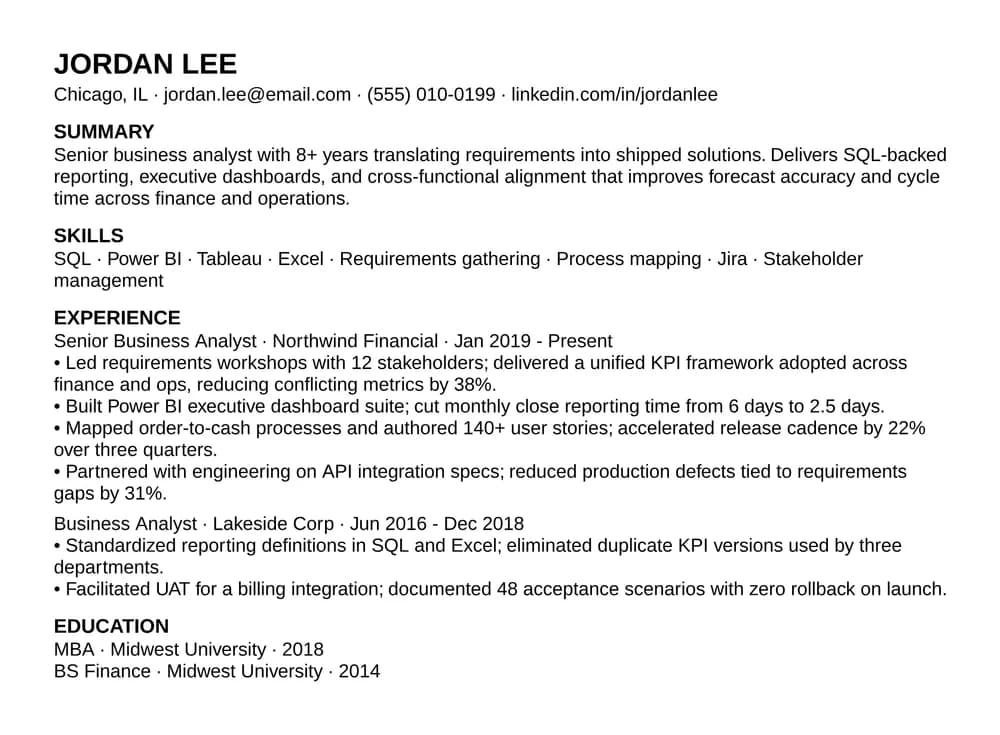
Jordan Lee

Senior Business Analyst · 8+ years

Chicago, IL · jordan.lee@email.com · (555) 010-0199

linkedin.com/in/jordanlee

Summary

Senior business analyst with 8+ years translating requirements into shipped solutions. Delivers SQL-backed reporting, executive dashboards, and cross-functional alignment that improves forecast accuracy and cycle time across finance and operations.

Skills

SQL · Power BI · Tableau · Excel · Requirements gathering · Process mapping · Jira · Stakeholder management

Professional experience

Senior Business Analyst · Northwind Financial

2019 – Present

  • Led requirements workshops with 12 stakeholders; delivered a unified KPI framework adopted across finance and ops, reducing conflicting metrics by 38%.
  • Built Power BI executive dashboard suite; cut monthly close reporting time from 6 days to 2.5 days.
  • Mapped order-to-cash processes and authored 140+ user stories; accelerated release cadence by 22% over three quarters.
  • Partnered with engineering on API integration specs; reduced production defects tied to requirements gaps by 31%.

Education

MBA · Midwest University · 2018

  • Single-column ATS-safe layout
  • Correct section order for parsers
  • Recruiter-friendly plain formatting
  • Easy to customize for each role

Step 1 · Get an ATS-ready resume

⚡ Faster path

Build a personalized ATS resume for your profile

instead of downloading a generic template.

  • Matches your experience
  • ATS optimized
  • Ready in under 2 minutes
Build My Resume →

Already have a resume or CV?

Convert it to ATS format before your next application

Tables, columns, and text boxes get dropped during parsing — and nothing tells you which sections went missing. Paste yours and see the clean version in 20 seconds.

Convert my resume →

Free preview · no signup · see the result before you pay

Step 2 · Match it to the job you are applying for

🎯 Increase your interview chances

See exactly how your resume matches the job description

Paste the posting next to your resume and get a match score, the required keywords you are missing, and the gaps that get applications filtered out before a recruiter reads them.

Compare Resume with Job →

Free match score · no signup · about 60 seconds

Or download the blank template

WordPDFGoogle Docs

Files are free. Each one opens the builder next so you can fill it in.

Read how to tailor this template to a posting

ATS Resume Templates by Job Role (33 free templates)

Every template below uses the same ATS-safe skeleton as the starter file above — one column, standard headings, plain-text skills — but ships with a summary, skills line, and experience bullets already written for that job title. Each one comes in entry, mid, and senior versions with free Word (.docx) and plain-text downloads. Pick the closest role, then replace the placeholder content with your own.

Not listed? Use the general free ATS resume template download — it is role-neutral and works for any job title.

What Makes a Resume Template ATS-Safe?

ATS safe

  • Single column
  • Standard section headings
  • Text-based PDF
  • Recruiter readable

ATS risky

  • Two-column layouts
  • Skill bars
  • Graphics and icons
  • Text in images

Template format is step one — does it fit the specific job?

ATS scoring depends on keyword overlap with the exact posting, not just clean formatting. Paste your resume and the job description to get an apply verdict, skill gaps, and rejection risks in 60 seconds.

Check resume vs. job description — free

What is an ATS resume?

An ATS resume is a resume formatted specifically so applicant tracking systems (ATS) can parse it without errors. ATS software — used by most employers to screen applications — reads resume text line by line. A resume that uses tables, multi-column layouts, text boxes, icons, or designed fonts often breaks the parser, causing your experience and skills to appear garbled or missing in the recruiter's view.

An ATS-friendly resume uses a single-column layout, standard section headings (Summary, Experience, Education, Skills), plain body fonts, and a text-based PDF or Word file. The content is identical to a designed resume — only the formatting changes to ensure the parser reads every line correctly.

ATS resume template layout rules at a glance

  • Single-column layout — no tables, no text boxes
  • Standard section order: Contact → Summary → Experience → Education → Skills
  • Section headings as plain text, not styled graphics
  • Standard fonts: Calibri, Arial, Georgia, or Times New Roman
  • Text-based PDF (not image-only) or .docx export
  • No icons, no color blocks, no multi-column sections
Legacy anchor: free ATS resume template downloadsDownloads and export workflow anchor

Download Free ATS Resume Templates — Word, PDF & Google Docs

Grab the starter ATS resume template as a Word .docx, a text-based PDF (selectable text, ATS-parseable — not an image), or plain .txt. Or open a new Google Doc, paste, apply Heading 2 to section titles, then export a text-based PDF or .docx.

Every file is a free download — no email, no account. The same layout doubles as an ATS CV template: parsers read the structure identically whether you call it a resume or a CV, so use whichever word your market expects and leave the formatting alone. For an ATS-friendly CV you plan to keep editing, take the Word .docx free download; if a portal demands PDF, use the text-based PDF above rather than exporting from a designed file — that export step is where most parsing failures begin.

Every file above is free with no signup. Taking one opens the free ATS resume builder next, where you can fill the template in with your own experience instead of formatting it by hand.

  1. Download or copy the template you want.
  2. Replace placeholder content with your real roles and metrics.
  3. Keep one column and standard headings (Summary, Experience, Skills, Education).
  4. Export a machine-readable file - never image-only PDFs.

ATS Resume Templates by Experience Level

The ATS-safe rules are identical at every level — one column, standard headings, plain-text skills. What changes is section order and how much space each section earns. A fresher who buries education below an empty experience section, and a senior candidate who still lists coursework, both lose to the same formatting instinct. Every role template above ships in entry, mid, and senior versions built to these layouts.

ATS resume template for freshers & students (no experience)

Final-year students, recent graduates, and career starters with internships, coursework, or projects but no full-time role yet.

Section order & structure

  • Contact → Summary → Education → Projects → Skills → Internships/Experience
  • Education moves above experience — it is your strongest section, so it goes first
  • Two to three projects with a one-line context and 2–3 outcome bullets each
  • Skills section listing tools you have actually used in coursework or projects
  • One page, always — a fresher resume that runs to two pages reads as padding

The 'no experience' problem is usually a labelling problem: coursework, capstones, hackathons, freelance work, and volunteering are all legitimate experience as long as you describe what you built and what changed. Never invent an employer.

ATS resume template for mid-level professionals (2–7 years)

Professionals with two or more full-time roles who need experience to lead and education to shrink.

Section order & structure

  • Contact → Summary → Skills → Experience → Education
  • Education drops to a single line: degree, field, institution, year
  • Two to three roles with 4–6 bullets each, weighted toward the most recent
  • Skills line mirrors the posting's exact tool names — 'PostgreSQL', not 'databases'
  • One page preferred, two acceptable once you pass roughly five years

This is the level where keyword match starts to decide outcomes. The structure is rarely the problem; the bullets are. Lead each with a verb, name the scope, end with the result.

ATS resume template for experienced & senior candidates (8+ years)

Senior individual contributors, leads, and managers whose scope, not task list, is the story.

Section order & structure

  • Contact → Summary → Skills → Experience → Education → Certifications
  • Summary carries seniority explicitly: years, domain, scale owned, one headline result
  • Older roles compress to title, company, dates, and one line — no bullets past ~10 years
  • Bullets state scope: team size, budget, systems owned, cross-functional reach
  • Two pages is normal and expected; do not compress a 15-year career onto one

Senior resumes fail ATS most often because candidates add a designed two-column layout to look polished. Seniority is communicated by scope in the text, not by visual formatting — and the columns are what break the parser.

Not sure which layout fits your history? Build your resume with the free ATS resume builder → — it picks the section order for your experience level automatically.

Skip the manual formatting

Get an ATS-ready resume in minutes — two ways

Already have a resume?

Convert it to ATS format

Paste a resume that uses tables, columns, or a designed template and get a clean, single-column ATS-safe version in 20 seconds. Free preview — $1.99 to download the formatted file.

Convert my resume to ATS format — free

No signup · free ATS preview first

Ready to stand out? (recommended)

Build your resume with AI — in 15 min

Stop using templates everyone else has. AI turns YOUR real experience into professionally-written bullets, optimized for the roles you want.

  • Role-targeted bullets
  • ATS-formatted automatically
  • Ready to apply this week
Build your resume now

One-time payment · download instantly

Prefer to do it by hand? The free template above is yours — download or copy it and format manually.

ATS Resume Examples & Samples That Pass Screening

A template shows you the skeleton; a sample ATS-friendly resume shows you what belongs in it. Start from the filled ATS resume sample below, then branch into role-specific walkthroughs — same single-column patterns as the copy-paste cards above.

Filled sample

John Doe - Data Analyst (sample only)

JOHN DOE
Chicago, IL · john.doe@email.com · (555) 010-0442 · linkedin.com/in/johndoedata

SUMMARY
Data Analyst with 4 years translating messy business questions into SQL, dashboards, and clear recommendations for GTM leaders.

SKILLS
SQL · Python · Tableau · Excel · Snowflake · dbt · Statistics · Experiment readouts

PROFESSIONAL EXPERIENCE
Senior Data Analyst · Northwind Analytics · 2021-Present
• Modeled cohort retention in SQL + dbt; surfaced drivers used by leadership in quarterly planning.
• Partnered with PM on experiment design and readouts for pricing page tests (traffic in the mid‑six figures monthly).
• Built Tableau dashboards adopted by sales and CS; cut time-to-answer for recurring questions by roughly half.

Data Analyst · Lakeside Retail · 2019-2021
• Automated weekly sales flash reports in SQL + Excel; replaced manual pulls that previously took most of a day.
• Documented metric definitions in a shared glossary; reduced conflicting KPIs across merchandising and finance.

EDUCATION
BS Statistics · Midwest University · 2019

CERTIFICATIONS
Google Data Analytics Certificate · 2020 (replace with your real certs)

More ATS resume examples (by role)

ATS resume example bullets (patterns by function)

Use these as wording patterns - never copy metrics you cannot defend in an interview.

  • Engineer: “Reduced API latency by 30% using caching and index tuning.”
  • Data scientist: “Improved churn prediction recall after feature and threshold updates.”
  • Product manager: “Prioritized onboarding roadmap; lifted activation after two release cycles.”

See the pattern? Build yours now.

Stop copying templates. Build YOUR resume with AI.

50,000+ job seekers already built theirs. These examples show the format — AI will fill it with YOUR experience, professionally written and role-targeted.

Build in 15 minutes

Free to build and preview · download instantly after purchase

ATS Resume Template Layout Rules

This template already follows the layout applicant tracking systems expect: one column, plain text, and predictable section headings. Fancy template packs often break parsing. Already have a resume in a different layout? Convert it to ATS format →

Format checklist: single column, standard section titles (Summary, Experience, Skills, Education), no tables or skill icons in images, simple fonts (Arial, Calibri, Inter) at 10.5-12pt. Starting from nothing rather than reformatting? Build an ATS resume online with the free resume builder →

Layout rules (scannable, not pretty)

  • Single column for the full story: summary to education.
  • Standard section titles - avoid clever renames like "My journey."
  • No tables, text boxes, or multi-column layouts for the main story.
  • Spell skills as text - not icons, graphics, or skill bubbles.

Scannable body copy

Short summary, tight skills line, reverse-chronological roles with 3-6 bullets (tool + impact). When in doubt, pick clarity over design for the file you submit online.

Which Template Formats Are Actually ATS-Friendly? (Word, Google Docs, Canva, Overleaf, PDF)

The tool you write in matters far less than what it exports. Any editor that produces a single-column file with selectable text will pass; the failures come from templates that build their layout out of tables, text boxes, or images regardless of which app made them.

Word resume template (.docx) — the safest default

Every template on this page is a free resume template for Microsoft Word — a real .docx file you open, type into, and save, not a picture of a resume. Word is the format most applicant tracking systems were built to read, which is why it is the default we recommend.

Use Word's built-in Heading styles for section titles, and avoid the two-column and "creative" designs in Word's own template gallery — those are the ones that break parsing. Submit the .docx directly unless the posting asks for PDF.

  • Opens in Microsoft Word, LibreOffice, Pages, and Google Docs
  • A blank resume template — placeholder text you replace, nothing locked
  • Free Word resume template download, no signup and no watermark

Download the free Word resume template (.docx) →

Google Docs — safe, with one setup step

Google Docs exports clean, parseable text. The catch is that most shared "ATS" Docs templates are built on invisible tables. Build yours instead: open a blank Google Doc, paste the plain-text template, apply Heading 2 to each section title, then use File → Download → PDF (.pdf) or Word (.docx). Never use File → Print → Save as PDF, which can flatten the text.

Canva — usually not ATS-friendly

Canva resume templates are designed visually: text sits in positioned boxes, and sidebars, icons, and skill bars are standard. Exported PDFs frequently parse out of order or drop the sidebar entirely — which is usually where people put their skills. If you already have a Canva resume, keep it for direct email and human review, and submit a plain single-column version through the application portal.

Overleaf & LaTeX — depends entirely on the class file

LaTeX produces genuine text-based PDFs, so the text is readable. The risk is the template: popular CV classes lean on multi-column layouts, custom glyph bullets, and tabular section headers that parse unpredictably. A single-column LaTeX resume with plain section headings is fine — a two-column one is not, no matter how clean it looks.

PDF vs .docx — which to submit

Follow the posting when it specifies one. When it does not, a text-based PDF preserves your layout and is read correctly by every current major ATS. The only PDF that fails is an image-only or scanned one — if you cannot select the text in your PDF reader, neither can the parser.

Already have a resume built in one of the risky formats? Convert it to ATS format →

Student or recent graduate? The Harvard resume template is the same ATS-safe structure with education first and no summary — the format used in campus recruiting.

ATS-Compliant Resume Template

There is no magic file that guarantees a hire. What works is a predictable, single-column structure parsers and recruiters both understand. Build yours in Word or Google Docs using this order:

  1. Contact - name, email, phone, city/state or “Remote”, LinkedIn or portfolio (plain text links).
  2. Professional summary - 2-3 lines: role, years of experience, top skills that match the posting, one proof point.
  3. Skills (scannable) - comma or line-separated tools and skills the job uses (only what you can defend in an interview).
  4. Work experience - reverse chronological; each role: title, company, dates, then 3-6 bullets (action + scope + metric).
  5. Education & certifications - degree, field, school, year; certs that matter for the role.
  6. Optional - projects or volunteer only if they strengthen keyword match or story for this application.

This is the same structure we recommend when people ask for an ATS CV template, an ATS friendly resume template, or a resume template for applicant tracking systems: plain sections, one column, no skill icons or text baked into images.

Legacy anchor: how ATS scans resumes

How ATS Systems Scan and Score Your Resume

When you submit online, your resume passes through four stages before a recruiter reads it. Understanding each stage tells you exactly where to focus — formatting first, then keyword alignment.

  1. Stage 1 — File ingestion and text extraction

    The ATS converts your file (PDF or DOCX) into raw text. Multi-column layouts, tables, and text baked into images frequently break this step — content inside those elements is silently dropped, so skills and job titles can disappear before any scoring happens.

    Fix: single-column layout, text-based PDF or DOCX, no skill-bar graphics or icon rows.

  2. Stage 2 — Section detection and field mapping

    ATS identifies sections (Experience, Education, Skills, Summary) using heading labels. Non-standard labels like "Where I've worked" or "What I know" often fail to map, so experience gets filed as unknown and may be excluded from scoring.

    Fix: use standard headings — Experience, Education, Skills, Summary, Certifications.

  3. Stage 3 — Keyword matching against the job description

    The ATS compares your extracted text to the job posting — skills, tools, responsibilities, and job titles. Keyword overlap drives the match score. Synonyms and abbreviations often don't count: "JS" and "JavaScript" are treated differently by most parsers.

    Fix: use the posting's exact terminology in your summary, skills, and bullet points — only where the experience is real.

  4. Stage 4 — Scoring, ranking, and filter rules

    Each applicant gets a relevance score. Recruiters often set a threshold (e.g., top 20% only) or filter by must-have criteria before reviewing any resume manually. A well-formatted resume with high keyword overlap passes filters; a poorly parsed one may score near zero regardless of actual experience.

    Fix: address Stage 1–3 issues first, then run the resume against the actual posting before applying.

Bottom line: formatting determines whether your content is visible; keyword alignment determines your score. Both matter, in that order.

Don't let formatting or weak bullets eliminate you before a human reads your resume.

Build a resume that passes ATS filters AND impresses recruiters. AI handles the bullets, formatting, and keyword optimization. You spend 15 minutes, apply with confidence.

Build now before you apply

50,000+ job seekers already trust it · download instantly

How to Make Your Resume ATS Friendly

Do this before you apply:

  • Use one column and standard headings (Summary, Skills, Experience, Education).
  • Export a text-based PDF or .docx - never image-only scans.
  • Mirror the job description only where you can defend it in an interview.
  • Lead bullets with outcomes: verb + scope + measurable result.
Legacy anchor: common ATS resume mistakes

ATS Mistakes That Fail Screening

Most “ATS rejections” come from a small set of fixable issues. If you improve these patterns, your resume becomes easier for ATS to parse and easier for recruiters to skim.

  • Missing required keywords: don't bury must-have skills in non-text formats. Use the job's terms in context where you truly have the experience.
  • Poor or incompatible formatting: avoid multiple columns, tables for core content, and text in images.
  • Vague responsibilities: replace “responsible for” bullets with evidence-based action verbs and measurable outcomes.
  • Lack of measurable achievements: add numbers (impact, scale, time saved, adoption, reliability, revenue) where you can.
  • Wrong file type / unreadable PDF: prefer text-based PDF or DOCX, and avoid scanned/image-only files.
  • Non-standard section names: stick to “Experience / Skills / Education / Summary” so ATS maps content correctly.

Use this guide's steps (formatting + keyword alignment + impact bullets) to fix the highest-risk areas first.

ATS Keywords Examples

Optimization, compressed: put posting terms in summary, skills, and bullets only where you can defend them. Simple layout wins over clever design. Use text-based PDF or DOCX; evidence beats adjectives.

Clusters like resume keywords for ATS and ATS optimized resume keywords map to the same behavior: put the employer's required tools and responsibilities into plain text where you truly have the experience - summary, skills, and bullets - not hidden in icons or graphics.

Example skill tokens (tailor per posting)

SQL · Python · A/B testing · KPI dashboards · Roadmaps · APIs · CI/CD · Stakeholder management · Experiment design · Data modeling · Product discovery · Cloud (AWS/GCP) · Looker / Tableau / Power BI · Jira · PRDs · Unit testing · Observability

Example action verbs

Shipped · Automated · Analyzed · Owned · Reduced · Increased · Partnered · Prioritized · Designed · Implemented · Led · Scoped · Validated · Documented

Go deeper by role: data analyst keywords, product manager keywords, software engineer keywords.

Tailor Template to Job Description

Want to test this template against a real job posting? Paste your resume and the exact posting - ResumeAtlas highlights missing requirements and weak keyword coverage so you edit with intent, not guesswork.

FAQ

How can I make sure my resume passes ATS?

+

Use a simple one-column layout, standard section headings, and include the skills and tools from the job description in your summary, skills section, and experience bullets. Avoid images and complex tables, and run your resume through an ATS checker like ResumeAtlas before you apply.

Do I need different resumes for different jobs to pass ATS?

+

Yes. Tailoring your resume to each job description, especially the skills and impact bullets, significantly improves keyword match and ATS scores. Start from a strong master resume, then adapt language and emphasis for each role.

Are PDFs OK for ATS?

+

Most modern ATS can read text-based PDFs and .docx files. Avoid image-only PDFs or heavily designed templates. If in doubt, use a clean .docx or a simple, text-based PDF exported from Word or Google Docs.

Which template format should I download — Word, Google Docs, or PDF?

+

Download the Word (.docx) version if you will keep editing offline, or the Google Docs version if you work in a browser; both preserve the single-column structure. Export to PDF only at the end, and only as a text-based PDF rather than an image. Picking a template and reformatting a finished resume are different jobs — if you already have a resume in another layout, the ATS resume converter rebuilds that existing file into ATS format in one step.

What is an ATS resume template?

+

An ATS resume template is a predictable structure ATS parsers expect: clear section titles, one column, plain bullets, and skills spelled out in plain text. Fancy visual templates often hide content from parsers; a simple outline beats a decorative layout for screening.

What should an applicant tracking system resume template include?

+

Include contact details, a short professional summary, reverse-chronological work experience with bullets, a scannable skills list that mirrors the job description where truthful, and education. Tailor keywords per application while keeping your real experience accurate.

How to pass ATS screening?

+

Use a single-column resume with standard headings, put must-have skills from the job description into your summary, skills, and bullets where truthful, avoid tables and graphics for core text, export a text-based PDF or DOCX, and run your resume against the posting in ResumeAtlas to catch missing keywords before you apply.

Are PDFs ATS friendly?

+

Yes, when the PDF contains real selectable text. Text-based PDFs exported from Word or Google Docs are generally ATS friendly. Avoid scanned or image-only PDFs because parsers cannot read the text.

Does downloading an ATS template guarantee my resume stays ATS-readable?

+

Not on its own. The template gives you a parser-safe starting structure, but that only holds if your edits keep it: adding tables, columns, text boxes, icons, or a photo while you write reintroduces the exact problems the template was built to avoid. If your finished file has drifted away from single-column plain text, run it through the ATS resume converter to rebuild the formatting rather than starting again from a blank template.

What are good resume keywords for ATS?

+

Good ATS keywords are the exact skills, tools, and responsibilities from the job description that match your real experience - placed in context across your summary, skills list, and bullets. Generic buzzwords without proof add little value; mirroring the posting honestly improves match scores.

What are ATS friendly resume templates?

+

ATS friendly resume templates are resume layouts built so applicant tracking software can extract every line of text correctly. They use a single column, standard section headings (Summary, Skills, Experience, Education), plain-text bullets, and common fonts - and they avoid tables, text boxes, sidebars, icons, and text inside images, which are the elements that cause parsers to drop or scramble content.

How do I make an ATS friendly resume template?

+

Open a blank Word or Google Docs file, set a single-column layout with 0.5 to 1 inch margins, and add five sections in order: Contact, Summary, Skills, Experience, Education. Use the built-in Heading style for section titles, plain round bullets for achievements, and a standard font such as Calibri or Arial at 10.5 to 12pt. Export a text-based PDF or .docx. If you can select every word in the exported file, an ATS can read it.

What is an ATS friendly CV template?

+

It is the same thing as an ATS friendly resume template - CV is simply the term used in the UK, Ireland, India, and much of Europe and Africa for the document North America calls a resume. The formatting rules are identical: one column, standard headings, plain text, no graphics. The only difference is length convention, since a CV is more often two pages and may include publications or certifications sections.

Are Canva resume templates ATS friendly?

+

Most are not. Canva builds layouts from positioned text boxes and commonly uses sidebars, icons, and skill bars, so exported PDFs often parse out of order or lose the sidebar entirely - which is usually where the skills sit. Use a Canva resume for direct email or a portfolio, and submit a plain single-column version through the application portal.

What is the best ATS resume template for freshers with no experience?

+

Use a single-column template that places Education above Experience, followed by a Projects section. With no full-time roles yet, your degree, coursework, internships, and two or three projects carry the resume - each project described with one line of context and two or three outcome bullets. Keep it to one page and list only tools you have genuinely used.

Where can I get a free resume template for Word?

+

Download the .docx on this page - it is a free Microsoft Word resume template with no signup, no watermark, and nothing locked. Open it in Word, LibreOffice, or Pages, replace the placeholder text with your own details, and save. Word's own built-in template gallery is a poor source for job applications because most of those designs use two columns and text boxes, which ATS parsers frequently drop.

Is the Word resume template blank or already filled in?

+

Both are available. The general template is effectively a blank resume template - correct ATS structure with placeholder text you overwrite. The role templates are prefilled with a written summary, skills line, and experience bullets for that job title at entry, mid, and senior level, so you can edit rather than start from an empty page.

Should I send my resume as a Word document or a PDF?

+

Follow the job posting when it names one. When it does not, either works with modern applicant tracking systems: a .docx is the most universally parseable, and a text-based PDF preserves your layout exactly. The only file that reliably fails is an image-only or scanned PDF - if you cannot select the text in your PDF reader, the parser cannot read it either.

Should an ATS resume template include a photo?

+

No, for applications in the US, UK, Canada, Ireland, and Australia. A photo adds no parseable text, can break layout extraction, and many employers screen out photo resumes to reduce bias risk. In parts of Europe, the Middle East, and Asia a photo is conventional - in that case keep it in a top corner outside any table or text box, and make sure no contact details are inside the image.

Does using an ATS template guarantee my resume is ATS friendly?

+

No - a template gives you a structure that parses cleanly, but what matters is your finished file. Editing introduces the same problems the template avoided: pasting styled text from another document, adding a table or text box for a skills grid, moving contact details into the page header, or exporting in a way that flattens text into an image. Your resume is ATS friendly when a parser can rebuild it into a complete record: name, contact details, every job with title, employer, and dates, skills, and education. To confirm that for your own file rather than assume it, run the free ResumeAtlas ATS resume checker linked below - it shows which fields survived extraction and which came back empty. A quick manual version: open your PDF and try to select your phone number and a job title with the cursor. If you cannot select them as text, no parser can read them either.

How do I make my existing resume ATS friendly without starting over?

+

You do not need to rebuild it from a blank template. Making a resume ATS friendly is a formatting job: strip tables, columns, sidebars, text boxes, and icons, put contact details in the body rather than the document header, use standard section headings, and keep one consistent date format. The ResumeAtlas ATS resume converter does that rebuild in one step - paste your current resume, preview the ATS friendly version free, then download it as PDF or Word. Nothing is rewritten or invented: your job titles, employers, dates, and bullet points are preserved exactly as you wrote them.

Is your resume ATS-friendly? Check it, then fix it

A template only gets you a good starting structure - whether your finished file is actually ATS-friendly depends on what you did to it. Run a machine-readability pass first: section structure, bullets, dates, and common parser traps, separate from matching a specific job description. If fields come back missing, the converter rebuilds your existing resume in an ATS-friendly format without you starting over.

On this page: ATS resume template · ATS template layout rules · ATS resume examples · ATS friendly resume skills